Posts

Massac Apps (Update)

If you haven't already noticed, our Massac Apps have gone through some important changes. Your Massac account is now essentially a full Google account. A list of the services available for your account can be seen at http://www.google.com/options/ To access these services (Blogger, Picasa, etc.), make sure to enter your full Massac Email address in the Email field (i.e. twalker@massac.org) along with your password. Another interesting feature you will find is the Call Phone option in the chat window (bottom left hand side of your Email inbox). As long as you have a microphone and speaker on your computer, you can click this feature and call any US/Canada number for free. (International calling is also available at a cost.) Enjoy these new features!
Welcome Back!

Hope everyone is off to a good start for the 2010-2011 school year. This is just a reminder to highlight some of the helpful links for you to use. Technology Trouble Ticket - http://sl.massac.org/ticket InformationNOW - http://sl.massac.org/infonow Computer Lab Sign Up ( MCHS only ) - http://sl.massac.org/labsignup Make sure to visit the district website ( http://massac.org ) and the school sites for up to date information. Have a good year!

Quick way to your Massac contacts

If you utilize the online address book in our Massac Apps infrastructure, there is now a short link directly to it. http://sl.massac.org/contacts You can also access the Contacts link from your E-Mail Inbox page by clicking the more link (dropdown arrow) at the top of the page and selecting the Contacts link. If it does not automatically log you in to the contacts page, use your Massac E-Mail username and password to gain access.

Free Anti-Virus (Microsoft Security Essentials)

One of the better free anti-virus/malware programs I have found useful is Microsoft Security Essentials (MSE). The update process is very quick when compared to other solutions I have used or tested. I also found the time when running a system scan to be on par with other programs I have seen. MSE automatically updates like other anti-virus programs and doesn't seem to be a drain on system resources while it is scanning or updating. In order to use Microsoft Security Essentials you will need to be running either XP, Vista, or Windows 7. Check it out at... http://www.microsoft.com/security_essentials/

Massac Apps (Docs Updates)

Thought I'd share these changes happening to our Massac Apps (more specifically the Documents portion) From Google Over the next few weeks, we will be releasing important updates to Google Docs for all Google Apps customers. These updates are incremental and will not require you to retrain your users. ● Starting on June 16th, 2010, we will introduce new sharing settings in Google Docs, designed to make sharing easier and to give your users more control over their files. Now your users will be able to assign a sharing setting to a file in just one step and see at-a-glance how each document is shared. To learn more, please visit the help center at http://goo.gl/I8Jp . ● Starting on June 21st, 2010, we will begin activating the new Google documents editor for all users. This new editor offers character-by-character real-time collaboration, better document import fidelity, and many new features like built-in chat with co-editors. To learn more, please visit the help center at http://...

Massac Apps (Summer Additions)

Hey everyone, Hopefully you've all grown accustomed to our new e-mail, website, etc. infrastructure through the use of Google Apps for Education. This summer Google plans to roll out even more additions for our Massac Apps including the following: -Picasa (Find, edit, and share your photos) -Blogger (Share your life with an online blog) -iGoogle (For us, this is already available at http://start.massac.org . Just sign in with your Massac account to begin) There are other services that are planned additions, but those above are just a sampling. Stay tuned, there are some exciting features coming soon!

Docs.com for Facebook Users by JT

Image
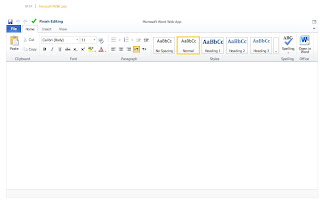
In one of the more recent Facebook updates it was announced that Facebook was collaborating with Microsoft to bring Docs.com to Facebook users. Right now it is in beta but has a fairly short wait time. All it is, is a watered down version of Office 2010, much like Google Docs. That certainly is not a bad thing as the new office is very polished. Take a look at a screen shot of the Docs.com in Chrome. The only complaint I have so far is that the Docs.com website doesn't look right in Chrome or any other browser I have tried. I had to highlight the top part of the page to be able to see where to click to upload or create a new document. So what do you need to try out this new service? You need a Facebook Account, then you can sign up for the beta and they will contact you when they are ready for you to login. If you are just now signing up for a Facebook account, be sure to take a close look at the privacy settings, so that none of your information is shared without your cons...